
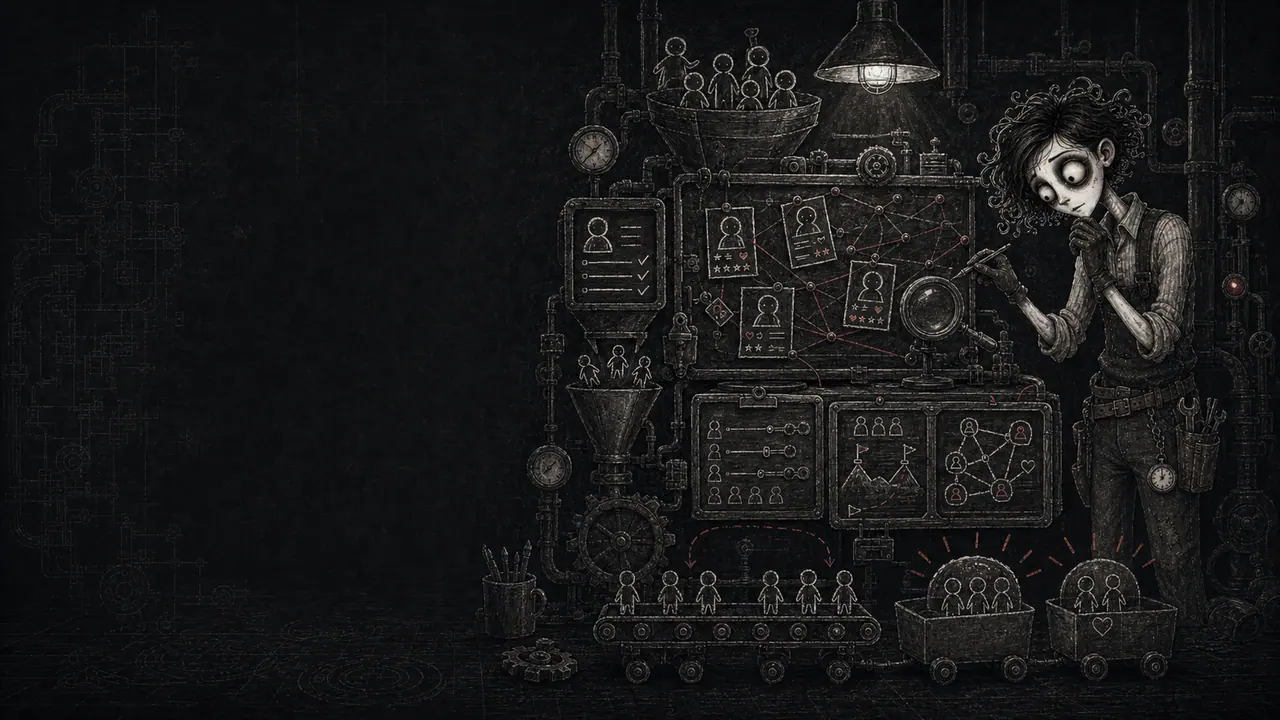
Insight Is Not A Bigger Intake Form
Most communities ask a few smart questions at signup, then abandon the answers in a dusty admin corner. Three months later the owner is surprised that members are stuck on the same blockers, asking for the same missing resource, and introducing themselves with clues nobody uses. That is not a member insight system. That is a guest book with delusions of strategy.
A real insight system has three parts: what you collect, where it lives, and how it changes action. It captures member goals, blockers, experience level, can-help-with, needs-help-with, discovery source, milestones, proof permission, and useful context from real behavior. Then it feeds onboarding, prompts, support, events, offers, and member matching.
Start With Decisions, Not Data
Before asking another question, list the decisions member insight should improve. Which welcome path should this person see? Who should they meet? What first win should they chase? Which event would help them? What blocker needs a resource, a reply, or a paid implementation offer? What proof can you share publicly? What should the owner stop building because nobody actually needs it?
If a field does not change a decision, do not collect it yet. More data feels responsible, but unused data becomes clutter with a privacy bill attached. The factory does not need a biography on every member. It needs the few signals that help the owner create better moments at the right time.
Collect Facts, Signals, And Stories
Split member context into three buckets. Facts are explicit answers: main goal, current blocker, experience level, location or timezone if relevant, discovery source, preferred participation style, can-help-with, needs-help-with, and proof permission. Signals are behavior: first post, event attendance, course progress, purchases, repeated searches, unanswered questions, no-shows, support requests, and saved resources.
Stories are the useful messy bits: a quote from a member call, the way someone described their problem, a win they reported, a reason they almost quit, a phrase they used that other members would recognize. Facts help you route. Signals help you notice timing. Stories help the factory keep sounding like humans instead of database labels.
Ask Intake Questions That Earn Their Keep
Good intake questions are short, answerable, and obviously useful to the member. Ask "What are you trying to make happen in the next 30 days?" instead of "What are your goals?" Ask "What keeps getting in the way?" instead of "What are your pain points?" Ask experience level with examples, not a vague beginner-to-expert slider everyone interprets differently.
The core set is simple: goal, blocker, experience level, what they have already tried, can-help-with, needs-help-with, how they found the factory, preferred way to participate, and permission to turn future wins into public proof. Tell members why you ask. "This helps us point you to the right first step" is better than mystery paperwork.
Build A Living Profile
The profile should not freeze on day one. A member changes after their first win, first failed attempt, first event, first purchase, first support request, and first useful reply to someone else. Update the profile when those moments happen. Do not write novels. Add dated notes with source and usefulness: "July event: stuck on pricing", "Asked three times about setup", "Can help with beginner critiques".
Keep sensitive material out unless it is truly needed for service or safety. Store context that helps the factory support the member, not private trivia that would feel creepy if repeated back. The test is simple: if a member saw the note, would they think "good, they listened" or "why did they write that down?"
Make Blockers Visible
Blockers are the best insight fuel because they point directly to value. If ten members are stuck on the same first step, the factory has found an onboarding problem, a missing resource, a confusing label, or a paid help opportunity. Track blockers with a short controlled list plus an open note field for fresh language.
Useful blocker categories might be setup, confidence, time, tools, feedback, accountability, money, technical confusion, finding peers, or choosing a next step. The category lets you count. The member language lets you write. When a blocker repeats, turn it into a guide, office-hours theme, event topic, checklist, or support script.
Track Milestones That Predict Momentum
Member insight is not only what people say. It is what they do after joining. Track the milestones that prove momentum: completed profile, first intro, first reply received, first useful resource opened, first event attended, first lesson completed, first question answered, first win posted, first purchase, first referral, and first time helping another member.
Do not turn this into a casino dashboard. Use milestones as triggers for care. If a new member has no first action after seven days, send a specific nudge. If a member reports a win, ask permission to save it as proof. If someone keeps helping beginners, invite them into a peer-help role. The data should create better timing.
Match Members With Purpose
Member matching is where an insight system starts feeling magical. The can-help-with and needs-help-with fields let the owner connect people without forcing everyone into awkward networking theater. A member who understands setup can help a beginner. A member chasing the same goal can become an accountability partner. A member with a recent win can encourage someone at the messy middle.
Keep matches small and specific. "You two should talk sometime" is weak. "You both picked pricing as the next 30-day goal, and both want a weekly accountability check" is useful. Give each match a clear reason, a starter prompt, and an easy exit. Insight should reduce social friction, not assign homework nobody asked for.
Turn Discovery Source Into Strategy
How someone found the factory is more than a marketing vanity field. Discovery source tells you which promises are pulling the right people in. Did they arrive from a video, referral, search, event, newsletter, social post, podcast, partner, or direct invite? What phrase made them think this was for them? What expectation did they carry through the door?
Review discovery source beside activation and retention, not just signups. A source that brings many quiet members who never take a first action may need a clearer landing path. A smaller source that brings people who post, buy, and help others is a better signal. Insight turns acquisition from "more traffic" into "better fit".
Run A Weekly Insight Bench
Pick one recurring ritual: a 30-minute weekly insight bench. Review five new members, five stuck members, five active helpers, and five recent support questions. Look for repeated blockers, missing resources, unclear promises, strong member language, proof opportunities, and good matches. Write down one action the factory will take this week.
This is where research becomes operating rhythm. Customer discovery and user interviews are not only startup homework; they are a way to keep listening after people have paid, joined, and started behaving differently than your launch plan predicted. A small weekly review beats a giant quarterly panic fueled by vibes and cancellation emails.
Protect Trust Like It Is Infrastructure
The more context you collect, the more carefully you must handle it. Tell members what you collect and why. Let them skip questions that are not required. Separate public proof permission from private support context. Never turn a sensitive blocker into a public example without explicit approval. Never use personal context as pressure in an upgrade prompt.
Salesforce and McKinsey both point toward the same practical truth: people like relevant experiences, but trust breaks when relevance feels like surveillance or manipulation. A member insight system should make members feel remembered, not watched. If the system cannot explain a field in member-benefit language, that field needs to earn its place again.
Close The Loop So Members See The Point
Insight should come back to the room. When a pattern changes the factory, say so in plain language: "A lot of new members told us the first setup step was muddy, so we added a 20-minute walkthrough." "Several paid members asked for feedback before they posted publicly, so office hours this month will cover draft reviews."
You do not need to expose private data. You need to show that listening created motion. Closing the loop makes future members more willing to answer honestly because they can see the machine doing something useful. It also teaches the community that feedback is not a complaint box. It is part of how the factory improves.
Keep The System Small Enough To Run
Do not start by building a giant CRM shrine. Start with ten fields, five milestone triggers, a place for dated notes, and one weekly review. Add complexity only when a real decision needs it. The system should save owner time, improve member fit, and reveal patterns. If it becomes a second job, it will quietly stop being used.
The finished version is not fancy. It is a habit: collect the right context, update it at meaningful moments, review it on a schedule, and turn it into one visible improvement at a time. The owner should feel less like they are guessing in a fog and more like they are reading the factory gauges before adjusting the machine.
Traps That Make This Weird
- Collecting profile fields because they look impressive, not because they change decisions.
- Letting intake answers sit untouched after signup.
- Asking vague questions that produce vague answers nobody can act on.
- Tracking only loud members and missing quiet readers, buyers, and helpers.
- Turning sensitive member context into public proof without explicit permission.
- Using personalization in ways that feel manipulative or surveillance-heavy.
- Building a complex CRM before the owner has a weekly review habit.
- Confusing data volume with insight quality.
- Matching members without a clear reason, prompt, or easy exit.
- Making members repeat context because support, onboarding, and coaching never share useful notes.
Implementation Checklist
- List the owner decisions the insight system should improve.
- Choose the first ten profile fields: goal, blocker, experience level, can-help-with, needs-help-with, discovery source, participation preference, first-win target, timezone if useful, and proof permission.
- Write intake questions in plain member language and explain why each one is asked.
- Create a short blocker taxonomy plus an open note field.
- Define five milestone triggers that should update the member profile.
- Create a dated note format with source, context, and next action.
- Add a weekly 30-minute insight bench to review member patterns.
- Use insights to make one improvement each week: prompt, event, guide, support script, offer, or member match.
- Separate private support notes from public proof permission.
- Review fields monthly and delete anything that never changes a decision.
Success Metrics
- New members receive more relevant first-step guidance.
- Repeated blockers turn into guides, events, prompts, or support scripts within a month.
- Member matches produce replies, accountability, feedback, or peer help.
- The owner can name the top three member goals and blockers without guessing.
- Support replies reference useful context without making members repeat themselves.
- Proof collection increases because permission is requested at the right moment.
- Activation and retention improve for the best-fit discovery sources.
- The weekly insight bench produces at least one visible factory improvement.
Failure Metrics
- Members answer intake questions but receive generic onboarding anyway.
- The same blocker appears in support every week with no product or content response.
- Owner notes are too scattered for moderators or helpers to use responsibly.
- Members feel over-surveyed, watched, or pressured by personalization.
- Matching attempts feel random and create awkward dead conversations.
- The owner tracks many fields but cannot explain what decisions they affect.
- Proof opportunities are missed because permission and milestones are not tracked.
- The system gets abandoned because it requires more work than the insight it returns.