Participation Is Not A Volume Contest
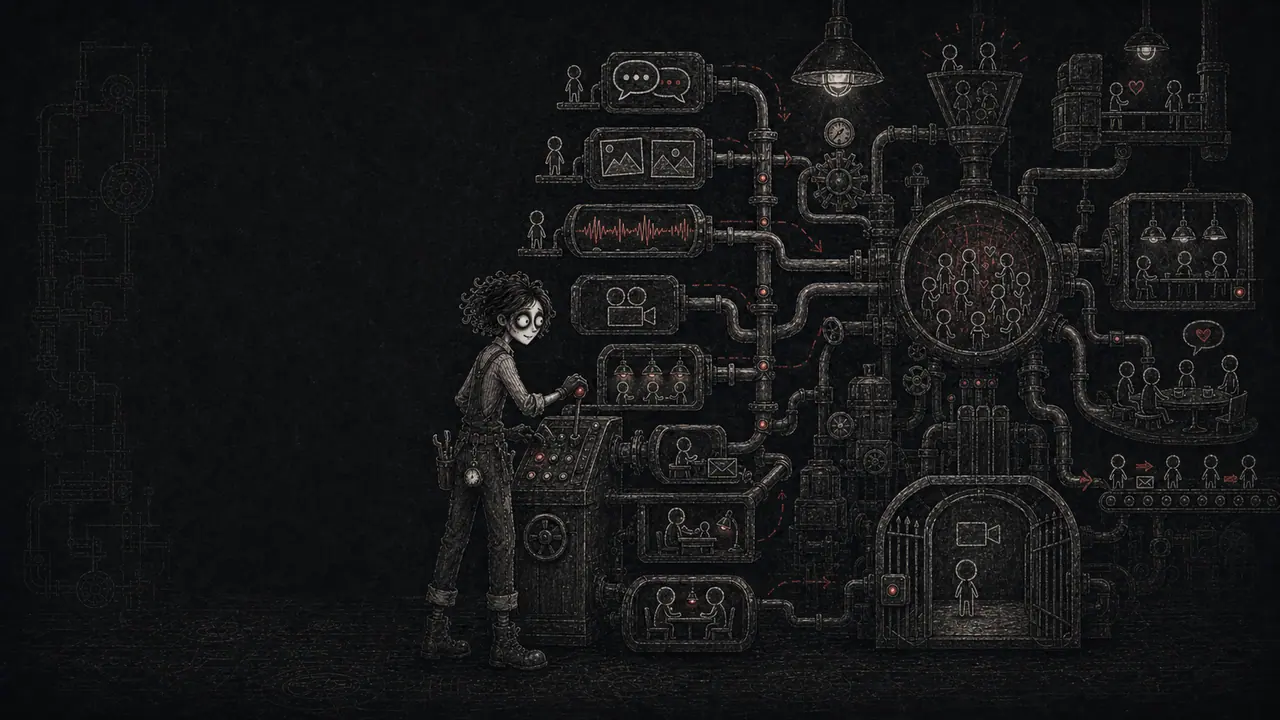
Owners often treat more modes as more community. Add chat, add voice, add video, add live calls, add async replies, add coaching, add a special room for people who breathe on camera, and surely the factory will feel alive. What usually happens is messier. Members do not know where to go, the owner has seven surfaces to check, and every new mode creates another place where silence can look like failure.
A participation mode should solve a member job. It should not exist because the platform can technically do it or because another community looks busy with it. The question is not "How do we get everyone to participate more?" The question is "What kind of participation helps this member move, connect, learn, decide, or feel seen right now?"
Name The Job Before The Mode
Start with the job. Is the member trying to ask a quick question, get critique, show progress, compare options, build accountability, learn a tricky concept, meet peers, receive private help, or hang out while working? Each job points toward a different mode. A screenshot beats three paragraphs when the problem is visual. A written thread beats a live call when the answer should be searchable next month.
Write a small matrix with five columns: member job, best default mode, backup mode, cost to the member, and cost to the owner. The cost column is where honesty lives. Video may create warmth, but it costs schedule, camera energy, bandwidth, privacy, and attention. Text may feel colder, but it is searchable, skim-friendly, and easy to answer from a bus, couch, or break room.
Use Richer Modes For Richer Problems
Media-richness research gives owners a useful rule: ambiguous, emotional, high-stakes, or nuanced work often needs richer communication. Simple updates, repeat questions, checklists, resource links, and status reports usually do not. Do not send every tiny bolt through the biggest machine in the factory.
Use richer modes when the extra cues change the outcome. Voice helps when tone matters. Video helps when body language, physical demonstration, shared attention, or trust changes the work. Live calls help when timing, accountability, and group energy are part of the value. Otherwise, keep the mode lighter. Members should not have to climb a ladder to ask where the checklist lives.
Text Is The Default Shop Floor
Text is the most underrated participation mode because it is not flashy. It is also the easiest to search, quote, link, skim, moderate, translate, and reuse. Text works well for quick questions, progress updates, announcements, FAQs, resource threads, async feedback, event recaps, decision logs, and public answers that prevent the owner from repeating the same private reply forever.
The trap is letting text become one endless scroll of everything. Give text rooms specific jobs: ask for help, show progress, share resources, introduce yourself, post wins, or request feedback. Use prompts with examples. Turn repeated answers into pinned resources. Text should be the factory floor where work is visible, not a junk drawer with timestamps.
Images Help Members Show The Real Thing
Images are the mode for evidence. Before-and-after photos, sketches, screenshots, mood boards, product drafts, workspace setups, progress pictures, and visual bug reports all reduce guessing. In creative, craft, fitness, local, food, design, and implementation communities, image participation can turn vague questions into useful feedback fast.
Add rules so image sharing stays useful. Ask members to include one sentence of context, one question, and the kind of feedback they want. Without that, image threads become a wall of "thoughts?" posts. Images should make help easier, not force everyone to become a detective with a tiny magnifying glass.
Voice Adds Warmth Without Full Performance
Voice is a good middle mode. It carries tone, pacing, and encouragement without requiring camera posture, perfect lighting, or a clean background. It works for short coaching notes, member updates, debriefs, pronunciation, music, emotional nuance, and moments where written text might sound colder than intended.
Keep voice bounded. Ask for short clips, summaries, or a written takeaway. Not everyone can listen at work, around family, or in a loud place. A voice note with no text summary is a locked drawer for anyone who needs to search later. Pair warmth with findability.
Video Is Powerful And Expensive
Video can be great. It helps with demos, physical technique, high-trust coaching, live critique, walkthroughs, screenshare debugging, performance review, and rooms where seeing people genuinely creates belonging. It can also create fatigue, privacy friction, schedule pressure, and a quiet class system between camera-ready members and everyone else.
Stanford research on video fatigue points to practical causes: intense eye contact, seeing yourself constantly, reduced movement, and extra mental load from producing and reading nonverbal cues. Treat video like a heavy factory press. Use it when it shapes the material. Do not make members stand beside it all day to prove they care.
Live Calls Need A Second Life
Live calls are useful when time together is part of the result: accountability, hot seats, group decisions, kickoff energy, implementation sprints, office hours, critiques, and celebrations. They are less useful when the real value is an answer that could have been a five-minute guide. A live call with no artifact evaporates the moment people leave.
Give every live call a second life. Post a recap, key timestamps, decisions, next actions, useful links, and one prompt for people who missed it. This protects members in other time zones, members with jobs, caregivers, quiet readers, and anyone whose week did not bend around your calendar. Live should add rhythm, not punish absence.
Async Replies Are A Retention Tool
Async participation is not a weaker version of live. It is how many adults actually stay involved. People answer between shifts, after kids sleep, before a commute, or when their brain finally has the right words. Async replies let members think, revise, include links, and participate without being the fastest person in the room.
Design async with deadlines and loops. A prompt with no closing moment can drift forever. A prompt with a review window, expected response type, and owner follow-up can create steady motion. Async works best when members know when to post, when replies happen, and when the factory moves to the next step.
Coaching Sessions Are High-Context, Not Infinite
Coaching is a mode, not a personality trait. Use one-on-one or small-group coaching when the member needs private context, tailored diagnosis, accountability, sensitive support, or expert judgment. It is expensive because it consumes owner attention. That means it needs clear boundaries: who gets it, what it covers, how long it lasts, what happens before and after, and where general lessons get reused.
The best coaching creates public value without exposing private details. Turn repeated coaching blockers into guides, office-hour themes, templates, or anonymized examples with permission. Coaching should not become a hidden tunnel where every useful answer disappears from the main factory.
Video-Only Rooms Are Specialized Rooms
Video-only rooms can work for specific cultures: co-working, performance practice, physical form checks, live studio sessions, language practice, rehearsal, accountability sprints, or high-trust masterminds where presence is the product. They are not a universal upgrade. For many factories, video-only rooms become empty because the ask is too intimate for casual participation.
If you add one, make the promise narrow. Name who it is for, when it is open, whether talking is expected, whether cameras are required, what behavior belongs there, and what alternative exists for members who do not want video. A specialized room can be excellent. A default video tax will quietly shrink the room.
Build A Participation Ladder
Most members do not jump from lurking to hosting a live teardown. Give them a ladder: read, react, answer a poll, post a short intro, reply to one person, share a photo, ask a question, join an async challenge, attend a live call, request coaching, help someone else, lead a small moment. NN/g participation research is a reminder that visible posting is only part of the community.
The ladder lets different modes do different work. Low-friction modes help members begin. Richer modes deepen trust. Leadership modes turn members into culture carriers. A healthy factory does not force everyone onto the same rung. It helps each member find the next rung that fits their motivation, ability, and moment.
Review Modes Before They Multiply
Every mode needs maintenance. Someone has to prompt it, moderate it, recap it, answer it, archive it, and explain it. Before adding a new mode, run a two-week experiment. Define the member job, the success metric, the owner cost, and what you will remove or reduce if the new mode stays.
Once a month, review the mode map. Which modes create first actions? Which create useful replies? Which help members return? Which create hidden owner labor? Which confuse people? Keep the modes that create movement. Retire or narrow the modes that mostly create surfaces to check. The best factory is not the one with every switch. It is the one where members know which switch to pull, why it matters, and what should happen after they pull it.
Traps That Make This Weird
- Forcing video because it looks like engagement from the outside.
- Treating quiet reading, reactions, saves, and recap views as failure.
- Adding every possible mode before one mode has a clear job.
- Letting private DMs become the hidden default support channel.
- Splitting one conversation across chat, forum, voice, video, and email with no source of truth.
- Making live attendance the only way to receive value.
- Running live calls with no recap, notes, timestamps, or next action.
- Using voice or video for answers that need to be searchable later.
- Ignoring camera fatigue, bandwidth, privacy, time zones, and device constraints.
- Keeping a mode alive because the owner likes it even though members avoid it.
Implementation Checklist
- List the member jobs your factory needs to support this month.
- Map each job to a default mode and one backup mode.
- Write the cost of each mode for members and for the owner.
- Choose the main async home for searchable questions and answers.
- Define when images, voice, video, live calls, and coaching are worth the extra friction.
- Create recaps or written takeaways for every live or rich-media moment.
- Write public versus private support rules so DMs do not become the whole factory.
- Run a two-week experiment before making a new mode permanent.
- Track participation by mode, not only total posts.
- Review the mode map monthly and retire anything that does not create movement.
Success Metrics
- New-member first contributions increase because lower-friction modes are obvious.
- Questions land in the intended public place instead of private DMs.
- Members who miss live calls still consume recaps and take next actions.
- Video is used voluntarily for jobs where seeing each other improves the outcome.
- Time to useful reply improves because each mode has a clear purpose.
- Member-to-member help increases across text, images, async prompts, or live moments.
- Owner surface-checking time decreases or stays stable as participation grows.
- Quiet members show signal through reads, reactions, saves, recap views, or later replies.
Failure Metrics
- Members ask where or how they are supposed to participate.
- Live or video attendance becomes the only path to feeling included.
- The same topic repeats across multiple modes with no clear source of truth.
- Camera fatigue, no-shows, or apology posts increase after adding more video.
- Private messages become the busiest participation mode.
- Useful answers get trapped in voice or video and cannot be found later.
- Participation drops after a new mode adds friction or confusion.
- The owner maintains more surfaces without better activation, retention, or member help.